Unlock Movie Streaming
Ready to explore iQIYI?
How to Stream Movies on iQIYI: Step-by-Step Setup Guide
Are you craving the ultimate movie streaming experience packed with blockbuster hits, international dramas, and exclusive originals? Look no further than iQIYI, the leading platform revolutionizing movie streaming. As Asia's premier video-on-demand service, iQIYI offers an unmatched library of high-quality content, from Hollywood favorites to captivating Chinese series and anime masterpieces. Whether you're a fan of action-packed thrillers, heartwarming romances, or edge-of-your-seat sci-fi, iQIYI stands out as the best solution for seamless movie streaming. In this comprehensive guide, we'll walk you through every step to set up and start streaming on iQIYI, ensuring you unlock its full potential effortlessly.
Why Choose iQIYI for Movie Streaming?
Before diving into the setup, let's explore why iQIYI is the top choice for movie streaming enthusiasts. With over 500 million monthly active users, iQIYI boasts a vast content library exceeding 10,000 hours of premium videos. It's not just about quantity—quality shines through with 4K HDR streaming, adaptive bitrate technology for smooth playback even on slow connections, and multi-language subtitles for global accessibility.
iQIYI excels in diverse genres, making it the best movie streaming platform for varied tastes. Dive into exclusive titles like "The Wandering Earth" series or binge-watch K-dramas and C-dramas that dominate global trends. Premium memberships unlock ad-free viewing, offline downloads, and early access to new releases. Compared to competitors, iQIYI's intuitive interface, personalized recommendations powered by AI, and affordable VIP plans (starting at just $2.99/month) position it as the ultimate movie streaming powerhouse.
- Extensive library: Hollywood, Asian cinema, anime, and originals.
- Superior streaming quality: Up to 4K with Dolby Audio.
- Cross-device compatibility: Smart TVs, mobiles, PCs, and more.
- Cost-effective: Free tier with upgrades for enhanced features.
Step 1: Downloading and Installing the iQIYI App
Getting started with iQIYI for movie streaming begins with installation. The app is available on multiple platforms, ensuring accessibility for all users.
For Android Devices
Head to the Google Play Store, search for "iQIYI", and tap Install. The app, developed by iQIYI, Inc., is free and optimized for Android 5.0+. Once downloaded (around 100MB), open it to grant necessary permissions like storage for downloads and network access for streaming.
For iOS Devices
On your iPhone or iPad, visit the Apple App Store. Search "iQIYI" and download the official app. Compatible with iOS 11.0+, it installs quickly. Pro tip: Enable notifications for new movie streaming releases.
For PC and Web Browsers
Visit the official iQIYI website at www.iqiyi.com. No download needed—stream directly via Chrome, Firefox, or Safari. For desktop apps, check the Microsoft Store (Windows) or use emulators like BlueStacks for Android apps on PC.
Installation takes under 2 minutes, setting the stage for uninterrupted movie streaming on iQIYI.
Step 2: Creating an iQIYI Account
To personalize your movie streaming journey on iQIYI, sign up for a free account. Open the app or website and tap Sign Up.
- Choose registration via email, phone number, or social media (WeChat, QQ, Facebook).
- Enter your details: A valid email or mobile number, password (8+ characters with mix of letters/numbers), and verification code.
- Verify via SMS or email link—essential for security and access to features like watchlists.
iQIYI prioritizes user privacy with robust encryption. New users get welcome bonuses like free VIP trials, enhancing your initial movie streaming sessions. If you forget your password, use the Forgot Password option for quick recovery.
Step 3: Navigating the iQIYI Interface for Movie Streaming
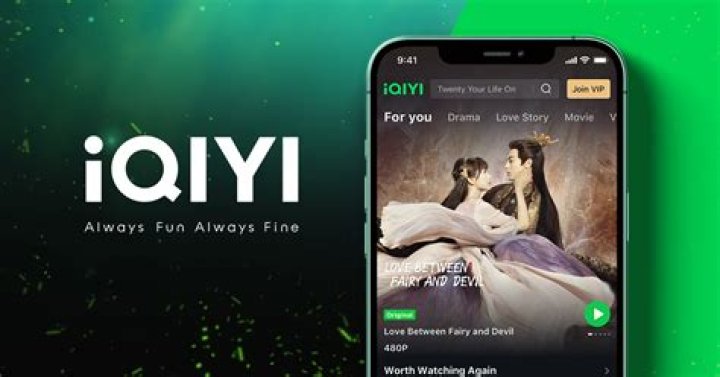
Once logged in, iQIYI's sleek interface welcomes you. The homepage features trending movie streaming picks, personalized carousels, and categories like Movies, TV Shows, Variety, Anime, and Live.
Key Sections to Explore
- Home: Daily recommendations based on viewing history.
- Movies: Filter by genre (Action, Comedy, Horror), region (Hollywood, China, Korea), or popularity.
- VIP: Exclusive content for members.
- Search: Type keywords like "Marvel movies" for instant results.
- My List: Add favorites for later movie streaming.
Use the search bar for precise discoveries—iQIYI's AI suggests related titles, making it the best for effortless browsing.
Step 4: Selecting and Starting Your Movie Stream
Ready to stream? Browse to your desired movie, tap Play. iQIYI auto-adjusts quality based on your connection—SD, HD, Full HD, or 4K.
- Adjust settings: Tap the gear icon for subtitles (20+ languages), audio tracks, speed control (0.5x-2x), and picture-in-picture mode.
- Offline viewing: VIP users download episodes/movies for on-the-go movie streaming.
- Multi-screen: Cast to Chromecast, Apple TV, or smart TVs via built-in tools.
For live events or premieres, iQIYI offers real-time movie streaming with chat features, immersing you like never before.
Step 5: Upgrading to iQIYI VIP for Premium Movie Streaming
Elevate your experience with iQIYI VIP—the best upgrade for ad-free movie streaming. Plans include Golden VIP ($4.99/month) and Super VIP ($9.99/month) with perks like 100GB downloads, 1080p+ quality, and offline playback up to 50 titles.
How to Subscribe
- Go to Me > VIP.
- Select plan and payment method (credit card, PayPal, Apple Pay).
- Confirm—enjoy instant access and a 7-day free trial.
iQIYI frequently runs promotions, making premium movie streaming budget-friendly.
Troubleshooting Common iQIYI Streaming Issues
Encounter buffering? Here's how iQIYI ensures smooth movie streaming:
- Buffering: Switch to lower quality or use VPN for region-locked content.
- Login Errors: Clear cache or reinstall app.
- Subtitle Sync: Manually adjust in player settings.
- Device Compatibility: Update app/OS; iQIYI supports Fire TV, Roku, Android TV.
iQIYI's 24/7 support via chat or help center resolves issues swiftly.
Advanced Tips for Optimal iQIYI Movie Streaming
Maximize iQIYI as your go-to movie streaming service:
- Customize profiles for family sharing (up to 5 per account).
- Enable auto-play for binge sessions.
- Sync watch history across devices.
- Explore iQIYI International for global users with English interfaces.
Integrate with smart home setups for voice-controlled streaming via Alexa or Google Assistant.
Conclusion: Start Streaming on iQIYI Today
With this step-by-step guide, you're fully equipped to dive into the world of premium movie streaming on iQIYI. From easy installation and account setup to VIP upgrades and troubleshooting, iQIYI delivers the best-in-class experience tailored for movie lovers worldwide. Its expansive library, cutting-edge tech, and user-centric features make it the undisputed leader in movie streaming. Sign up now, grab your popcorn, and transform your entertainment routine—iQIYI awaits with endless cinematic adventures!
Keep Learning
