Unlock Movie Streaming
Ready to explore Viki?
How to Stream Viki Movies Offline: Step-by-Step Guide
Are you a fan of captivating dramas, heartwarming romances, and thrilling K-dramas? If so, Viki is your ultimate destination for movie streaming. Renowned for its vast library of Asian content, including Korean dramas, Chinese movies, Japanese anime, and much more, Viki stands out as the best solution for movie streaming enthusiasts worldwide. With subtitles in multiple languages and a community-driven translation feature, Viki delivers an immersive experience like no other. But what if you're on a long flight or in an area with spotty internet? Don't worry—Viki allows you to download movies for offline viewing. In this comprehensive step-by-step guide, we'll walk you through how to stream Viki movies offline, ensuring you never miss a moment of your favorite shows.
Why Choose Viki for Movie Streaming?
Before diving into the how-to, let's explore why Viki is the top choice for movie streaming. Unlike generic platforms, Viki specializes in high-quality Asian entertainment, offering exclusive titles that you won't find elsewhere. Its intuitive interface, personalized recommendations, and interactive features like user-generated subtitles make it unbeatable. Whether you're binge-watching the latest K-drama hit or discovering classic Japanese films, Viki's catalog is curated for true fans.
One of Viki's standout features is offline downloading, which sets it apart in the crowded movie streaming market. This functionality ensures seamless access to your downloaded content anytime, anywhere. Plus, Viki's commitment to legal streaming means you enjoy premium quality without ads interrupting your experience—especially with a Viki Pass subscription.
Prerequisites for Downloading Viki Movies Offline
To get started with offline streaming on Viki, ensure you have the right setup. First, download the Viki app from the App Store (for iOS) or Google Play Store (for Android). Viki's mobile app is optimized for offline use, unlike its web version which doesn't support downloads.
- Viki Account: Sign up for a free account or log in if you already have one. For unlimited downloads, upgrade to Viki Pass Standard or Plus.
- Device Compatibility: iOS 12.0+ or Android 5.0+. Ensure at least 1GB of free storage for movies.
- Stable Internet: You'll need a good connection initially for downloads.
- Subscription: Free users get limited downloads; Viki Pass unlocks everything.
Pro Tip: Viki Pass not only enables offline downloads but also removes ads and provides HD streaming, making it the smartest upgrade for serious movie streaming fans.
Step-by-Step Guide: How to Download Viki Movies for Offline Streaming
Now, let's get to the core of how to stream Viki movies offline. Follow these simple steps on the Viki app.
Step 1: Install and Log into the Viki App
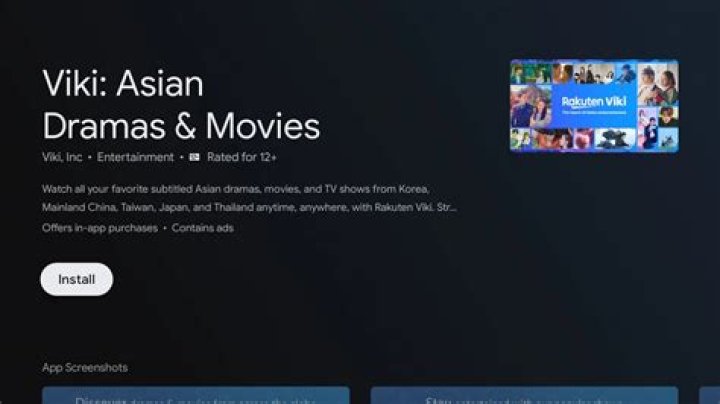
Open your device's app store, search for "Viki: Asian TV Dramas & Movies," and install it. Launch the app and sign in with your credentials. If you're new, create an account—it's quick and gives immediate access to thousands of titles.
Step 2: Subscribe to Viki Pass (Recommended)
Navigate to the profile icon in the top right corner. Select "Viki Pass" and choose your plan. Viki Pass Standard allows up to 10 downloads per device, while Plus offers unlimited. Complete the payment, and you're set for premium movie streaming perks, including offline access.
Step 3: Search and Select Your Movie
Use the search bar to find your desired movie or drama. Viki's search is powered by smart algorithms, suggesting trending K-dramas like "Crash Landing on You" or new releases. Tap on the title to open its page. Check episodes or full movies available for download—look for the download icon (a downward arrow).
Step 4: Initiate the Download
Tap the download button next to the episode or movie. For series, select "Download Season" for bulk saving. Choose quality: Standard (480p) for smaller files or HD (720p/1080p) for crisp visuals. Viki compresses files efficiently, so even HD movies won't hog too much space. Downloads start immediately if you're online.
Step 5: Manage Your Downloads
Access your offline library by tapping the "Downloads" tab at the bottom. Here, you can pause/resume downloads, delete files to free space, or view progress. Viki smartly organizes content with thumbnails and progress bars for easy navigation.
Step 6: Stream Viki Movies Offline
Go offline by turning on airplane mode. Open the Downloads section and tap any saved movie. Playback starts instantly—no buffering! Controls include speed adjustment (0.75x to 2x), subtitles toggle, and auto-play next episode. Enjoy seamless movie streaming on Viki, even without internet.
That's it! With these steps, you're ready to stream Viki movies offline effortlessly.
Tips and Tricks for Optimal Offline Movie Streaming on Viki
Maximize your experience with these expert tips:
- Batch Download: Before traveling, download entire seasons overnight on Wi-Fi to save data.
- Storage Management: Viki auto-expires downloads after 7-30 days (depending on subscription). Delete watched content promptly.
- Quality Selection: Balance quality and storage—HD for tablets, Standard for phones.
- Multi-Device Sync: Viki Pass syncs watch progress across devices.
- Subtitle Customization: Download with preferred languages; they stay embedded offline.
For family movie nights, Viki's Kids mode offers safe, downloadable content. Always update the app for the latest offline features and bug fixes.
Troubleshooting Common Issues When Downloading Viki Movies
Encounter problems? Here's how to fix them:
Download Button Missing
This happens on free accounts or unsupported regions. Upgrade to Viki Pass or use a VPN for global access.
Slow Downloads
Switch to Wi-Fi, close background apps, or restart the Viki app. Viki prioritizes downloads during low-traffic hours.
Playback Errors Offline
Re-download corrupted files or check device storage. Ensure app permissions for storage are enabled.
Downloads Not Appearing
Sync your account or reinstall the app. Viki's servers occasionally lag—wait 5-10 minutes.
If issues persist, contact Viki support via the app's Help section. Their team is responsive and prioritizes movie streaming quality.
Viki vs. Other Movie Streaming Platforms for Offline Use
Why is Viki the best for movie streaming? Compare it:
| Feature | Viki | Netflix | Disney+ |
|---|---|---|---|
| Asian Content Library | Best-in-Class | Limited | Minimal |
| Offline Downloads | Unlimited (Pass Plus) | Limited | Yes, but fewer titles |
| Multi-Language Subtitles | Community-Driven | Standard | Basic |
| Price | Affordable Pass | Higher | Similar |
Viki excels in niche content and offline flexibility, positioning it as the premier movie streaming solution.
Legal and Safety Considerations for Viki Offline Streaming
Viki is 100% legal, partnering directly with studios. Offline downloads are DRM-protected, playable only in the app, preventing piracy. Respect expiration dates to comply with licensing. For safety, download only from official sources to avoid malware.
Expanding Your Viki Movie Streaming Experience
Beyond offline, Viki offers live chats, fan reviews, and watch parties. Explore genres like Thai BL series or Taiwanese romances. Regular updates add fresh movies, keeping Viki ahead in movie streaming.
Conclusion: Make Viki Your Go-To for Offline Movie Streaming
Mastering how to stream Viki movies offline opens a world of entertainment on the go. From setup to troubleshooting, this guide equips you with everything needed. Viki's superior content, user-friendly downloads, and affordable subscriptions make it the best solution for movie streaming. Download your favorites today, disconnect, and dive into endless stories. Happy streaming with Viki!
Keep Learning
